FAQ
Questions about Lovegotchi
Everything about pairing, caring for Mochi, evolution, customization, and Lovegotchi Plus — based on the current Android app.
Getting started
What is Lovegotchi?
Lovegotchi is a shared virtual pet game for Android. Two people pair their accounts and raise one pet, Mochi, together. Care from either phone feeds the same pet, so you both see the same progress, the same mood, and the same room.
Do we both need the app?
Yes. Each person installs Lovegotchi on their own Android phone and signs in. One of you shares an invite code, the other enters it, and from then on you share one Mochi and one private space. A pair is always exactly two people.
Do we have to play at the same time?
No. Care is asynchronous. One of you can feed Mochi before work and the other can play in the evening — it all adds up for the same pet. That makes it work well across time zones.
How do we pair our accounts?
One person creates a shared home in the app and gets an invite code. The other person enters that code. Once you are paired, both accounts share the same Mochi, room, chat, memories, and journal.
Can we unpair or start over?
There isn’t an unpair button in the app right now. If you need to change who you’re paired with, email support@lovegotchi.com from the address on your account and we’ll help.
Mochi & care
What care actions are there?
Seven: Feed, Play, Cuddle, Sleep, Rest, Bathe, and Talk. Each one changes Mochi’s needs (hunger, energy, cleanliness, love, happiness) and rewards experience and coins. Every action has a short cooldown before it can be used again.
How does Mochi evolve?
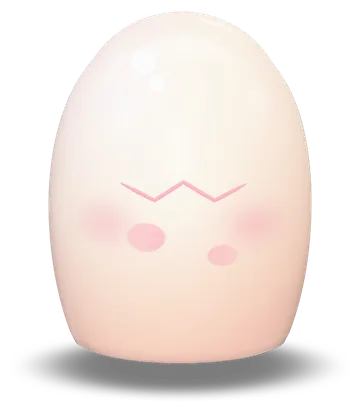
Care earns experience, and your shared level decides Mochi’s stage: Egg (levels 1–2), Baby (3–9), Child (10–19), Teen (20–29), Adult (30–49), and Legend (50+). Each evolution plays as a short ceremony that both of you get to see.
What happens if we forget about Mochi?
Her needs drop over time and her mood changes. If nobody looks after her for too long she becomes critically weak and needs rescuing — so a daily check-in from at least one of you is a good habit.
What is Dream Mode?
When you put Mochi to sleep, the room dims while she naps. When she wakes up you get a small reward for letting her rest.
Customization
How do skins, hats, and rooms work?
Use coins earned from care to buy items in the shop: skins that change Mochi’s whole look, hats and charms, and 16 themed rooms. Some items are limited-time, and some are part of Lovegotchi Plus.
Do skins carry over when Mochi evolves?
Yes. Skins built for 3D, like Honey, Strawberry, and Stormlight Mochi, have a version for every stage from baby to legend.
Plus, ads & purchases
Is Lovegotchi free?
Yes, it is free to download and play. The free version includes ads and optional in-app purchases. Lovegotchi Plus is an optional monthly or yearly subscription, and one Plus subscription can unlock Plus for both people in a pair.
What does Lovegotchi Plus include?
Plus is an optional monthly or yearly subscription. It includes premium skins, outfits and accessories, premium and seasonal rooms, a premium badge, unlimited memories, and an ad-free experience. With Share Plus, one subscription unlocks Plus for both people in a pair. Prices are shown in the app and on Google Play.
How do I restore or cancel a subscription?
Subscriptions are managed by Google Play. You can cancel any time in the Google Play Store under Payments & subscriptions. To restore a purchase on a new phone, sign in to the same Google account and use the restore option in the app.
Privacy & devices
Is there an iPhone version?
Lovegotchi is currently available on Android through Google Play. We will only announce other platforms once they are actually available.
Is it only for couples?
Not at all. Plenty of pairs are best friends, siblings, or long-distance friends. The app is built for any two people who want a small daily ritual together.
Who can see our chat, memories, and journal?
Only the two accounts paired in your shared home can see them in the app. See our privacy policy for details on how data is stored.
How do I delete my account?
Use the account deletion option in the app’s profile settings. If you can’t access the app, email support@lovegotchi.com from the address linked to your account.
Still have a question?
Email support@lovegotchi.com — a real person reads every message.
Ready to raise a Mochi together?
Download Lovegotchi, share your invite code, and hatch your first egg together.
Free to download. Contains ads and optional in-app purchases.